
5 Password Managers We Love for CPAs

5 Password Managers We Love for CPAs
Content originally appeared on the CPACharge blog.
When you work with sensitive data, it’s in your best interest to take all precautions necessary to protect your accounts—especially when it comes to creating strong and unique passwords. Of course, remembering multiple complex passwords can be a logistical nightmare. Thankfully, there are password managers that can remember your complicated login credentials so you don’t have to.
Below, we’ve listed our five favorite password management tools that have the best features for CPAs.
1. LastPass
From its simple interface to its cross-platform compatibility, variety of features, and price point, it’s no wonder why LastPass is consistently ranked by tech journalists as the best password manager available today.
Price: Free – $48 per year
Why it’s good for CPAs: LastPass is a fantastic option for firms with various computer competency levels. Its options as both a browser plug-in and mobile app make it not only available on multiple platforms but also incredibly easy to use, while still offering plenty of advanced features for more tech-savvy CPAs.
Website: lastpass.com
2. Dashlane
Nearly as lauded as LastPass, Dashlane has a user-friendly design and is regularly updated with new features. One of the stand-out features of Dashlane is its ability to change passwords on hundreds of your managed accounts at once without needing to leave the application or plug-in.
Price: Free – $48 per year
Why it’s good for CPAs: CPAs who enjoy all-in-one solutions will find Dashlane appealing. Going beyond just passwords, it can also safely store credit card numbers, scanned identification cards, billing addresses, and many other forms of personal information.
Website: dashlane.com
3. 1Password
1Password is ideal for users or teams who use several different types of devices. If you like your solutions to be easy to use and available on practically every device and operating system you can think of, 1Password may be your best pick.
Price: 30-day free trial - $7.99 per user per month.
Why it’s good for CPAs: Auditors, large-firm CPAs, or any accounting professional who travels frequently may appreciate 1Password’s Travel Mode feature. This mode allows you to quickly delete sensitive data from your device on the fly, and restore it with a press of a button, protecting your data from potentially insecure Wi-Fi connections you may use on the go.
Website: 1password.com
4. Keeper
Keeper Security is one of the oldest and most widely used password management tools on the market. In fact, there’s a chance you might already have a copy of it. Many of the latest laptops, desktops, and smartphones have the free version of the software pre-loaded and ready to use.
Price: Free – $59.99 per year
Why it’s good for CPAs: Arguably, Keeper is the most secure cloud-based password manager on the market. It avoids providing the more convenient features of its competitors, such as one-click password changes or PIN logins, viewing such conveniences as unsafe. CPAs who want security above all else should choose Keeper.
Website: keepersecurity.com
5. BitWarden
If you’re looking for password management on a budget, you can’t go wrong with BitWarden, which offers a feature-rich solution for free and additional features for less than $10 a month. Plus, its lightweight and flexible design means it won't be taking up too much real estate on your device.
Price: Free – $5 per month
Why it’s good for CPAs: BitWarden is a fantastic choice for small to midsize firms who need to quickly and cheaply equip their machines with password storage and protection. BitWarden also offers password sharing features, allowing employees to securely share login credentials with one another.
Website: bitwarden.com
For a handy one-sheet of our top eight dos and don’ts for password management, download our Password Management Quick Reference for CPAs.
Schedule a demo with CPACharge

Share This Article
What's Trending?
Trending topics & tools for the CPA community
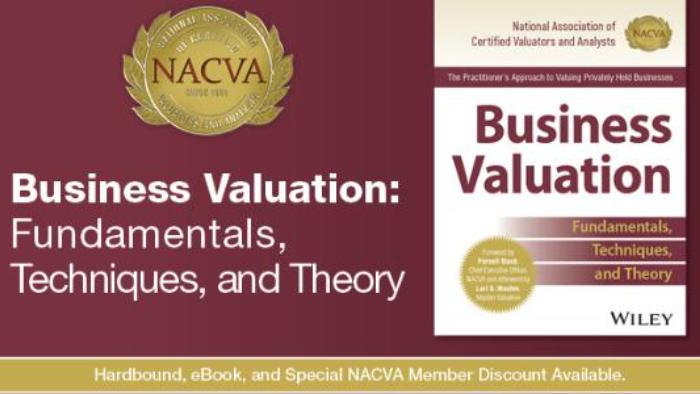
Announcing Business Valuation: Fundamentals, Techniques, and Theory
Written by leading industry experts, this book is an authoritative and comprehensive how-to guide to valuing private business enterprises.
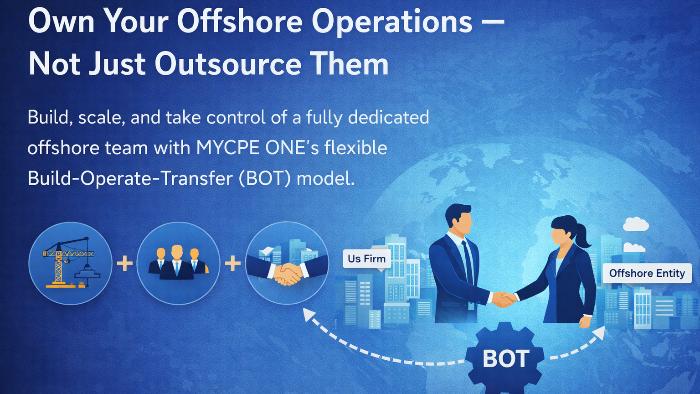
Own Your Offshore Operations — Not Just Outsource Them
Build, scale, and take control of a fully dedicated offshore team with MYCPE ONE’s flexible Build-Operate-Transfer (BOT) model.

How Firms are Rethinking Reasonable Comp (Quick Video)
It’s a short video and makes the value of repeatable, data-backed approach clear (especially compared to spreadsheets, gut checks and one-off calculations).
Resources
Valuable information provided by our sponsors.
Education & CPE: Realizing AI's Impact in Accounting Through Responsible Adoption
Becker surveyed hundreds of accounting professionals to see how they are using AI and how...
Provided By:

Effective, Hands-On Training That Fits Your Schedule and Your Budget
Save your seat in Becker’s new Open Enrollment Staff Level Training (SLT) and take part in expert-led tax...
Provided By:
CPAdirectory members have access to discounted auto and home insurance
At CPAdirectory, we think it's a good thing to provide our members with access to...
Provided By:

The accounting firms growing fastest all have this in common
Discover the billing and cash flow strategies helping firms get paid faster and grow smarter.
Provided By:
Stop Tool-Hopping: See what's new at Canopy (Plus $75)
Canopy has released massive updates to give you a truly all-in-one experience and consolidate your...
Provided By:

Free CPE-eligible Webinar: Lead Your Clients to a Successful Business
Free CPE for CPAs: Learn how to transform financial data into actionable guidance, deepen client...
Provided By: